Tips
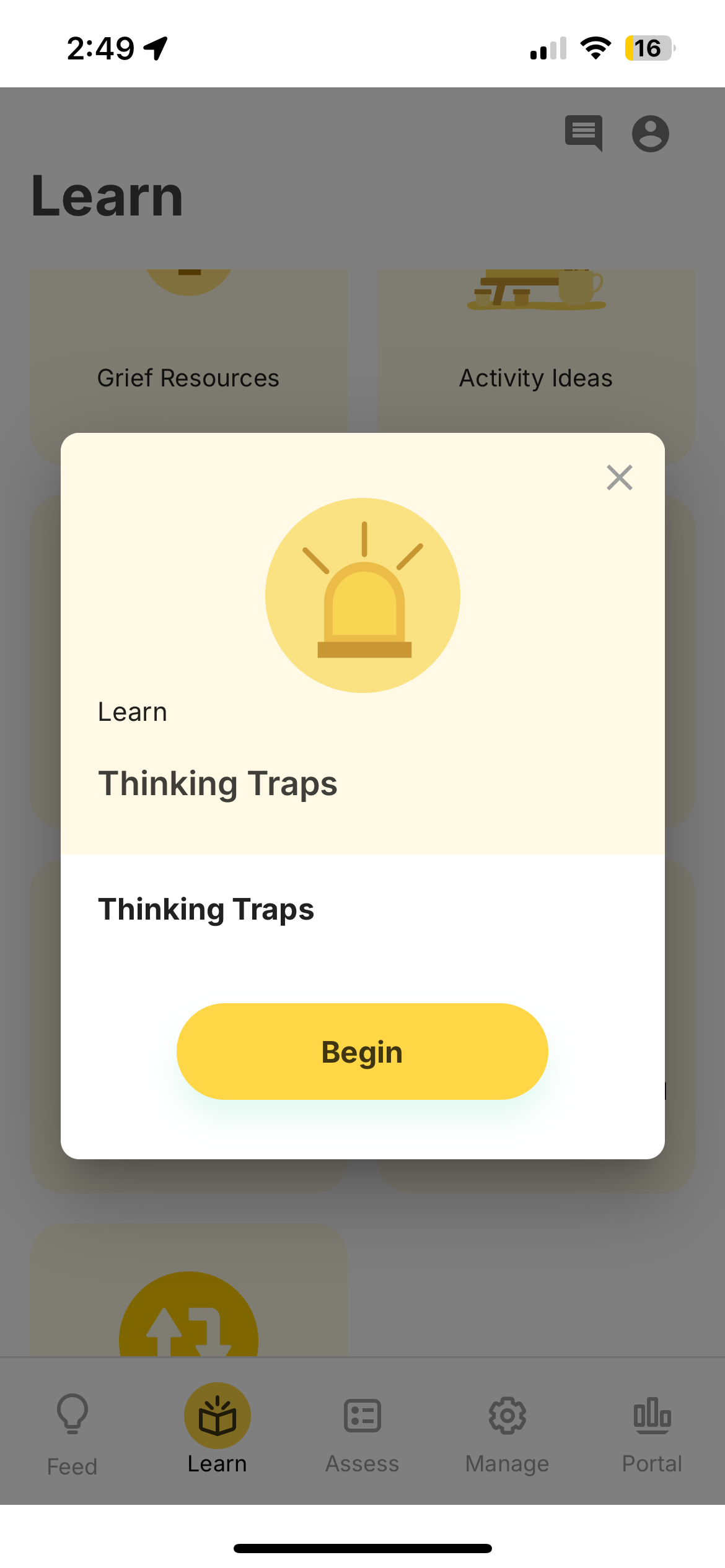
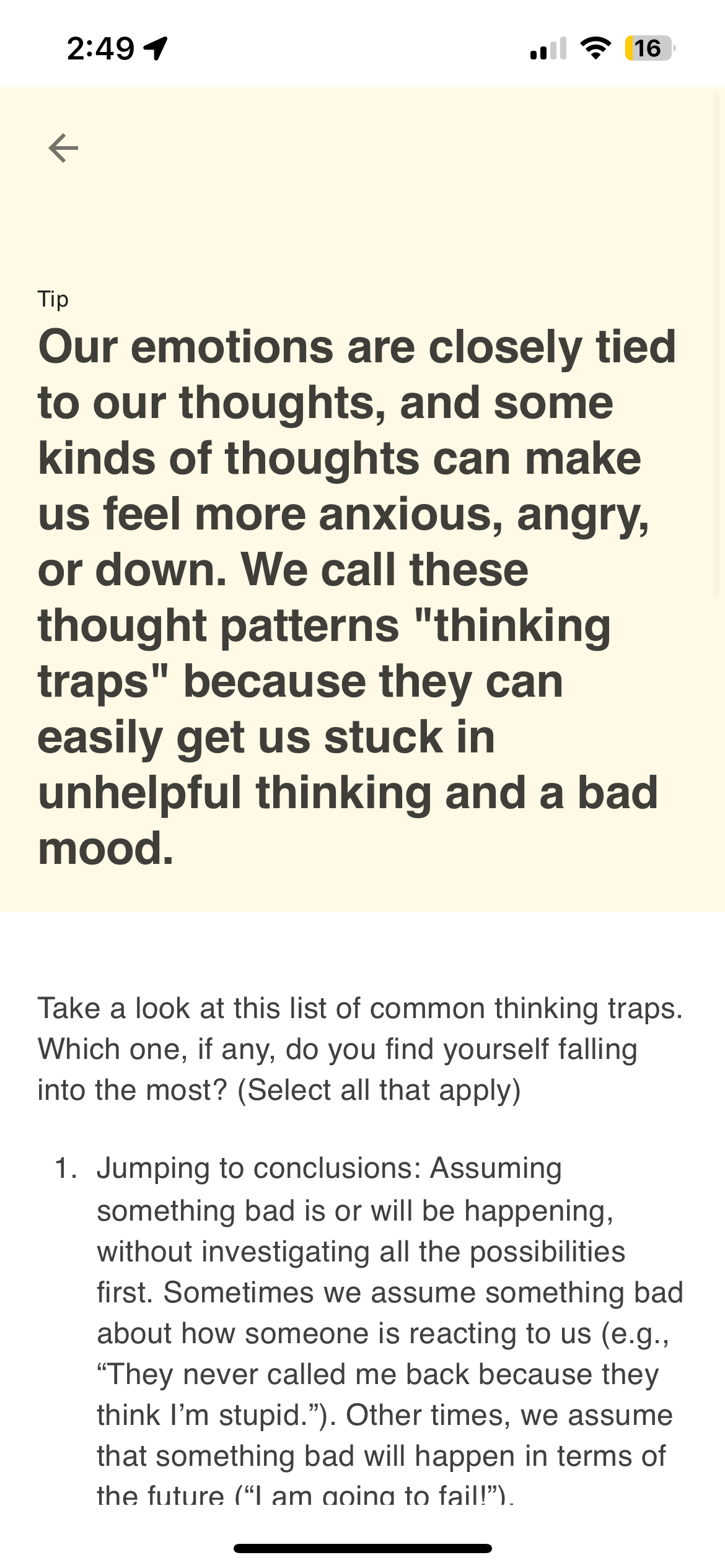
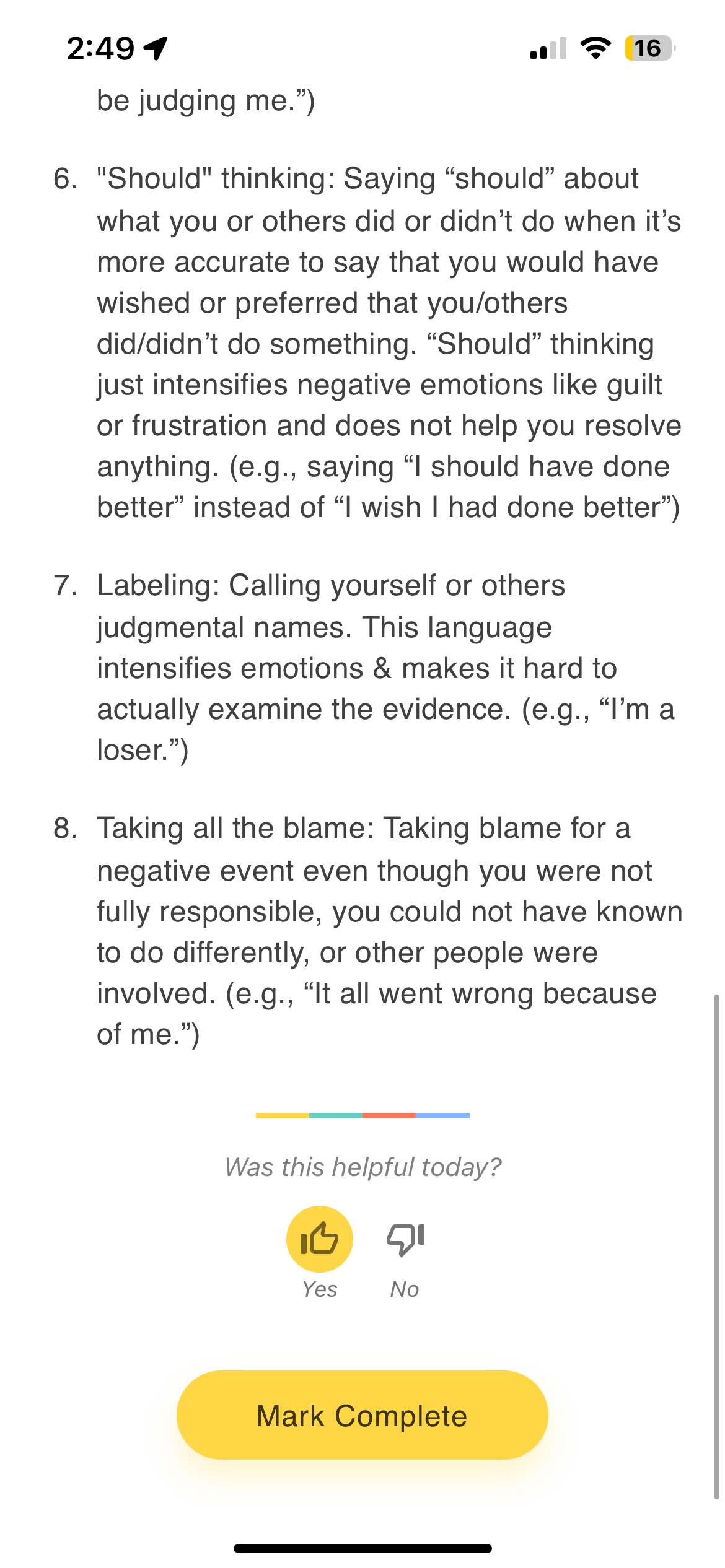
Tips are educational or motivational content items that appear in the Learn tab. They support rich content including text, images, videos, and interactive elements.
ActivitySpec: lamp.tips
Configuration
- Log in to the dashboard and navigate to the Activities tab.
- Click + Add and select Tips.
- Select the group you wish to add the tip to.
- Enter a title. Optionally add a link and author.
- Press the (+) icon to add content items (text, images, media).
Content Formatting
Tips support Markdown-formatted text, including:
- Headings —
#,##,### - Bold and italic —
**bold**and*italic* - Lists — Ordered and unordered
- Links —
[link text](url) - Images —
or inline HTML. Upload directly (up to 4 MB, PNG/SVG/JPEG) or embed as base64 data URIs. - Tables — Standard Markdown table syntax
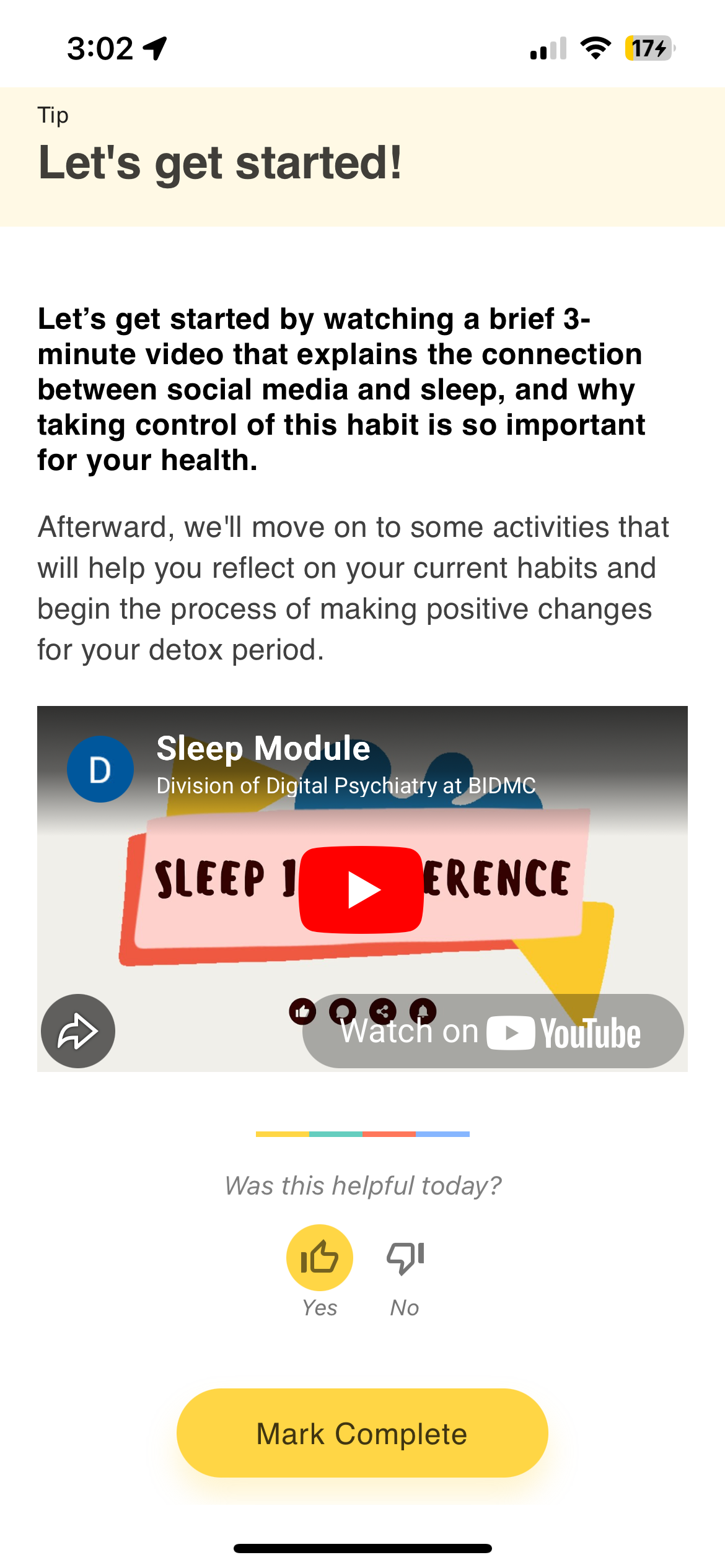
- Embedded video — YouTube via
<iframe> - Expandable sections —
<details>and<summary>tags
Embedding Video
<iframe width="400" height="300"
  src="https://www.youtube.com/embed/VIDEO_ID"
  frameborder="0" allowfullscreen></iframe>
Multiple Tip Items
A single tip can contain multiple content items. Press the (+) icon to add additional items — all items appear on a single scrollable page. To present tips in a multi-step sequence, use an Activity Group to bundle multiple tips together.
Use Cases
- General health education (physical wellness, sleep hygiene, mental health literacy)
- Skill-building resources for therapy techniques
- Individualized content for a specific participant's needs
- Embedded video tutorials or guided exercises
- Links to external resources and reading materials
Real-World Examples
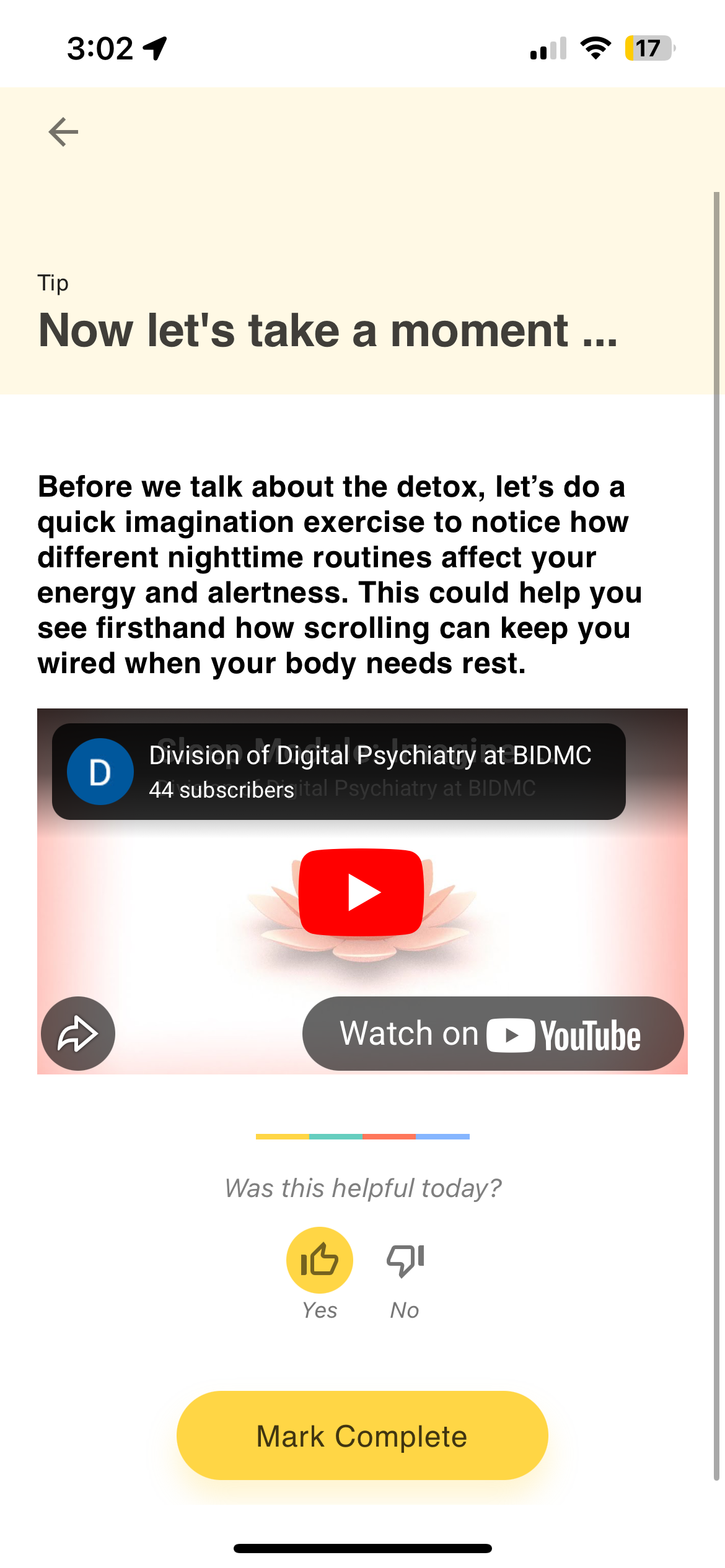
Tips with embedded video — The Social Media study's Sleep Module activity group includes multiple tips with embedded YouTube videos. Each tip has a video player, explanatory text, a helpfulness prompt, and a Mark Complete button.
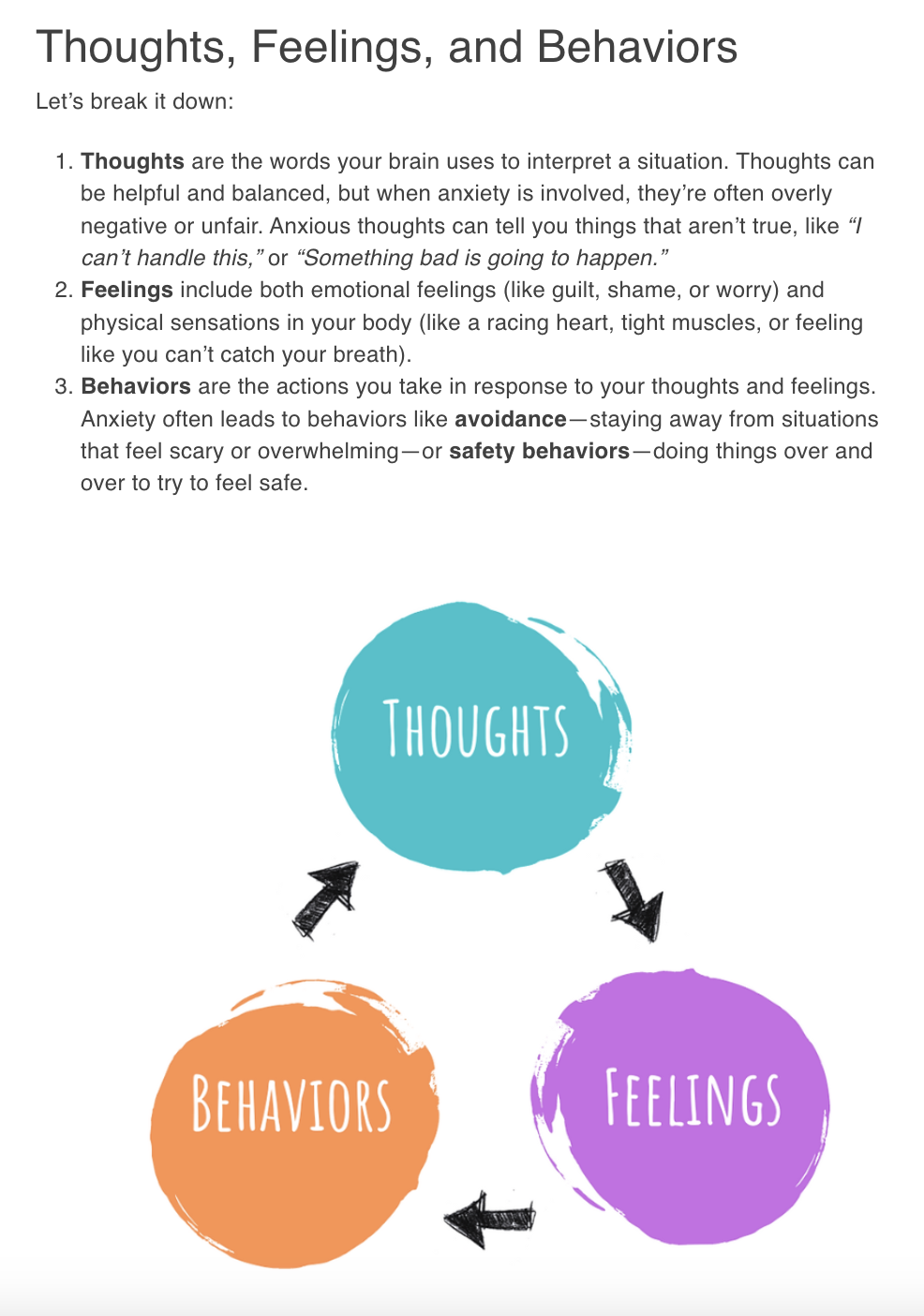
Tips with embedded images — momLAMP's "Thoughts, Feelings, and Behaviors" tip combines text and inline images to illustrate CBT concepts.
Usage
After viewing a tip, participants see a "Was this helpful today?" prompt with thumbs up ("Yes") and thumbs down ("No") buttons, followed by a "Mark complete" button.
Tapping "Mark complete" records the response. If the participant taps "Mark complete" without explicitly selecting a thumb, the response defaults to "Yes".
Data
| Field | Value |
|---|---|
static_data.sentiment | "Yes" (helpful) or "No" (not helpful). Defaults to "Yes" if no selection made. |
duration | Time spent viewing the tip in milliseconds |
temporal_slices | Always an empty array |
Example
{
  "timestamp": 1649859300000,
  "activity": "tip_activity_id",
  "duration": 15000,
  "static_data": {
    "sentiment": "Yes"
  },
  "temporal_slices": []
}
Cortex Features
No Cortex features currently process Tips data.
View in Portal | Python SDK | API Reference