Capability

Monitor Engagement

Participants, coordinators, and data scientists each get the level of visibility they need, from personal progress tracking to programmatic data quality analysis.

Spot Problems Early

The dashboard shows color-coded indicators for every participant. Two buttons per card show when they last sent passive sensor data and when they last opened the app.

U0310713415Cohort A
Last PassiveLast Active
U2360822259Cohort B
Last PassiveLast Active
U8841029371Cohort A
Last PassiveLast Active
U5572910483Cohort C
Last PassiveLast Active

Participants See Their Own Data

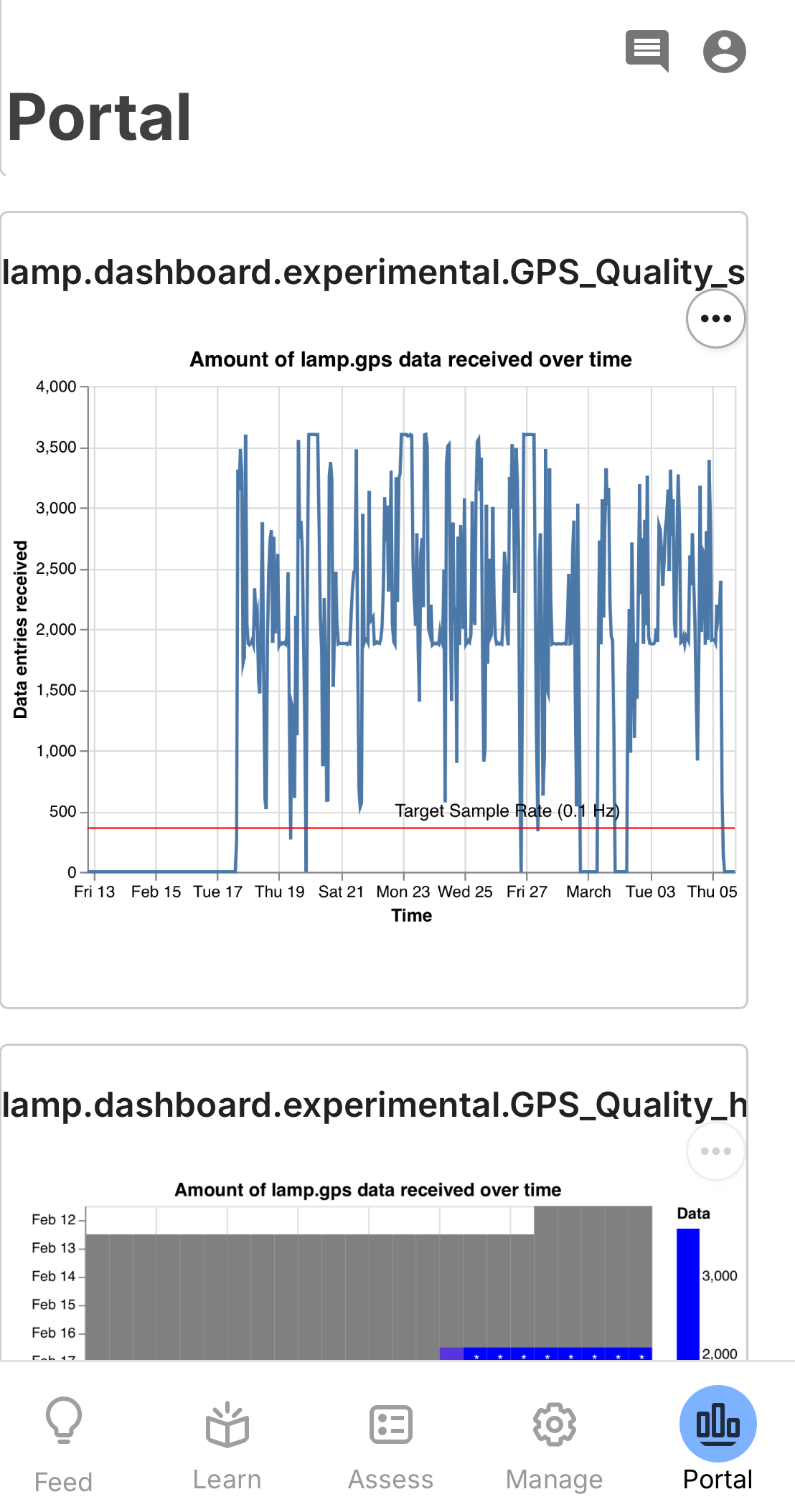
The Portal tab gives participants a view of their own activity history, survey trends, and sensor-derived behavioral features. Clinicians see the same view when reviewing a participant, making it a shared reference point during check-ins.
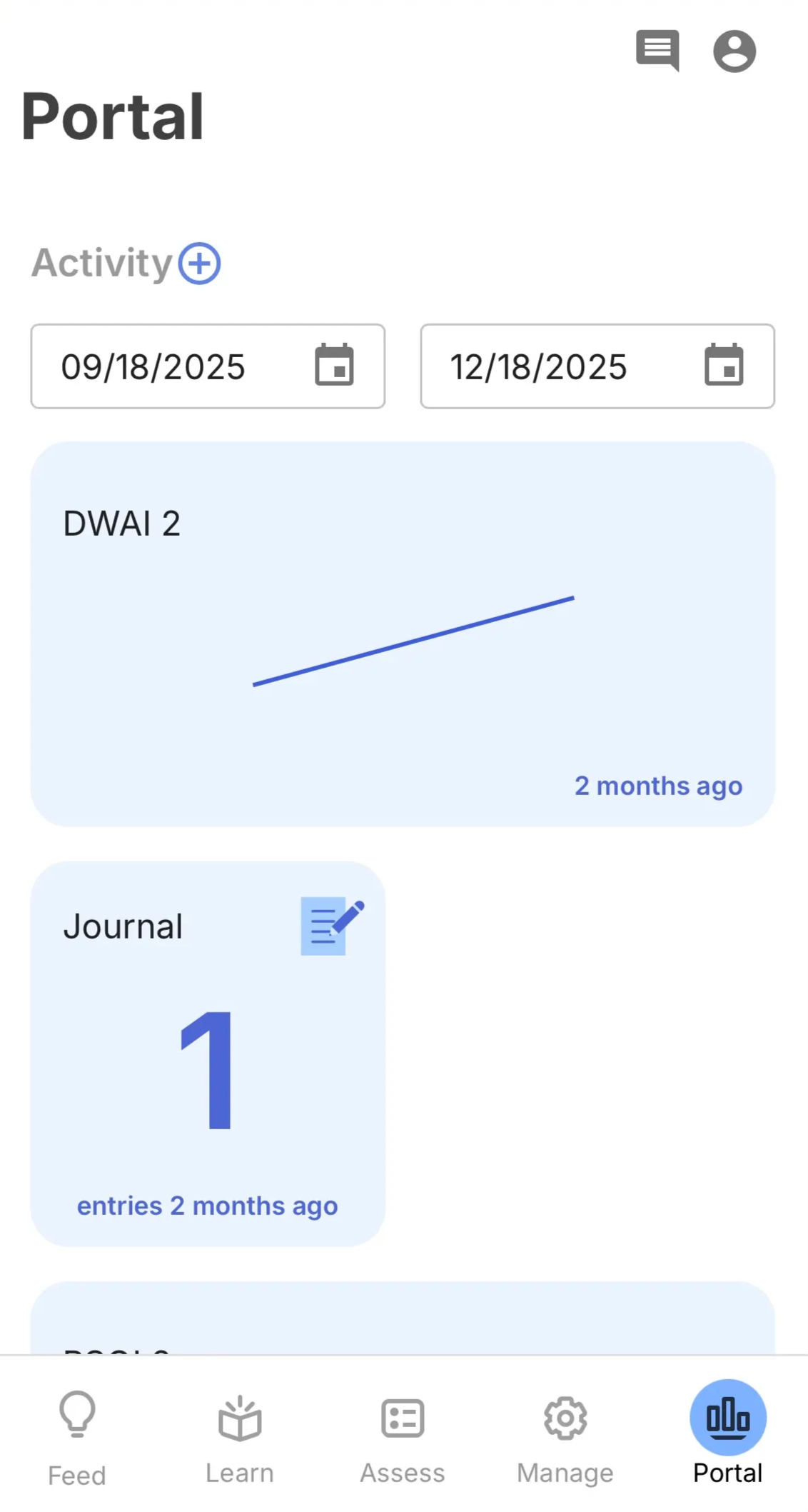
mindLAMP Portal tab showing activity history
Activity history and survey trends
Completed activities with date filtering, response scores over time, and question-level breakdowns via the grid icon.
mindLAMP Portal tab showing Cortex visualizations
Cortex visualizations
Scatter plots, heatmaps, and behavioral feature charts generated by the Cortex pipeline.

Quantify Data Quality

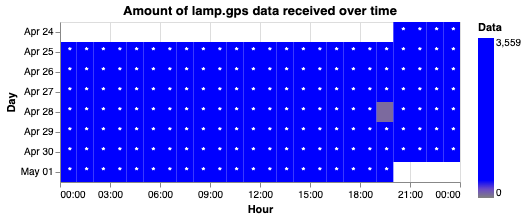
Cortex automatically evaluates how much sensor data each participant is generating, so you know whether the data is dense enough to compute reliable behavioral features.
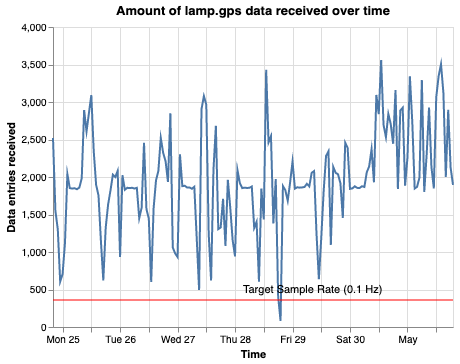
GPS data quality scatter plot showing collection rate over time
GPS Scatter Plot
Data entries per time window, with reference line for target rate
GPS data quality heatmap showing hourly coverage by day
GPS Heatmap
Hourly data density by day, revealing daily collection patterns
Research Finding
In a study of 373 participants, most GPS quality issues were resolved by disabling Low Power Mode or charging the device. Below a quality score of 0.50, GPS-derived features like home time became unreliable.
Calvert et al. (2026) โ†’

In Practice

How monitoring tools work in a real clinical program.

Digital Clinic
The BIDMC Digital Clinic built automated weekly reports using Cortex and the mindLAMP API. Each report scores GPS and accelerometer coverage, flags participants who haven't completed activities in seven days, and generates a summary designed for under two minutes of clinical review.
View project โ†’

Dive Deeper

Explore the documentation for data quality, dashboards, and visualizations.

Data Quality
Sampling frequency, quality thresholds, and guidance for maintaining reliable passive data.
Read guide โ†’
Dashboard
Navigate the researcher dashboard, monitor participants, and review engagement indicators.
Read guide โ†’
Cortex Visualizations
Built-in plotting functions for data quality, behavioral features, and participant reports.
View guide โ†’
Portal Tab
Participant-facing data visualizations for self-monitoring and shared decision-making.
Read guide โ†’